2
out of
3
found this helpful.
One common wifi troubleshooting "turn it off and on again" option is to release and renew your device's IP address on the network.
Windows 10 & 11
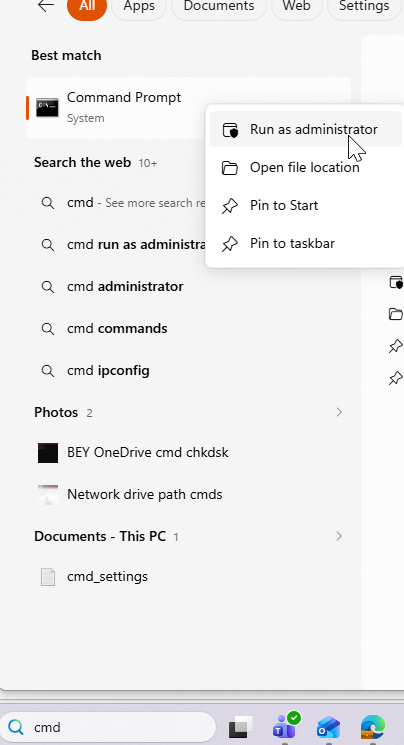
- Click on the Search icon in the taskbar and type in "cmd".
- In the pop-up options at the top, right click Command Prompt and choose Run as administrator.
- If prompted, choose Continue.
- In the black box, type "ipconfig/release" and press Enter.
- Type "ipconfig/renew" and press Enter.
(The black Command Prompt window gives you the heady thrill of being an 80's teen movie computer whiz kid but is relatively simple.)
Macintosh OS X 10.5+
- Click on the Apple menu.
- Click on System Preferences.
- Click on the Network icon.
- Make sure either Airport or Ethernet (depending on which you working with) is selected and click Advanced.
- Click on the TCP/IP tab.
- Click on the Renew DHCP button.